
If Meta Birds will not load, try these checks first
November 9, 2026
By Ace Jones, ATech Software
Most “it doesn’t work” notes about a browser game are really notes about a door. Meta Birds has three public doors — the homepage on a desktop browser, an itch.io page for many phones, and a web app on Meta Ray-Ban Display glasses — and each one fails in a different way.
This checklist uses only what the live site and Meta’s public web-app docs actually say. It does not invent error messages we have not seen, and it does not invent extra gameplay rules. When the game is running, flap and maintain altitude, and don’t hit the pipes. Controls are on How to Play.
Meta Birds is a free playable prototype from ATech Software, independently developed by Ace Jones, ATech Software. It is not endorsed, sponsored, or developed by Meta Platforms, Inc., Ray-Ban, or EssilorLuxottica.
First: which door are you using?
- Computer. You should be on the home page, in a desktop browser, on a device that can run WebGL. The live site describes instant browser play on any modern WebGL device, with no store install.
- Phone. The live FAQ says the embedded homepage game is often a poor fit because mobile browsers restrict iframes. Use https://acesontechnologies.itch.io/metabirds instead of wrestling with the embed.
- Meta Ray-Ban Display glasses. The live FAQ says to run Meta Birds as a web app using Developer Mode, and it points to the Installation Guide at https://meta-birds.com/article/2576976c-acad-47fe-b4b2-69e57e9af446. A walkthrough of Meta’s public steps is in How to play browser games on Meta Ray-Ban Display.
If you own glasses that are not the Display model, stop here and read Ray-Ban Meta vs. Meta Ray-Ban Display. A pair without an in-lens screen cannot show a HUD web app.
On a desktop browser
- Confirm you are using
https://meta-birds.com, not a search snippet that led somewhere else. - Try a current desktop browser. The live site asks for a modern WebGL device. An older browser, or a locked-down network that blocks WebGL, can produce a blank frame where the game should be.
- Close extra heavy tabs and reload. A page can load while the WebGL build does not.
- Confirm you can see the rest of the homepage — the how-to, the affiliation note, the playable-prototype footnote. If the whole site fails, that is a network or DNS problem, not a gameplay problem.
- If one browser fails and another works, stay with the one that works. We do not have a published list of unsupported desktop browsers, and this article will not invent one.
If the page around the game loads and the game itself does not, you are likely looking at a WebGL or embed issue rather than a broken URL.
On a phone
Skip the embed if it is the part that fails. That is exactly why the live FAQ recommends itch.io for mobile.
Open https://acesontechnologies.itch.io/metabirds and play from there. If itch.io loads and the homepage embed does not, nothing is wrong with you and nothing extra needs to be “fixed” on the homepage for that session.
If both fail, check ordinary phone problems: airplane mode, a captive Wi-Fi login page, or a content blocker that strips scripts. Then try again on a desktop, which is the path the site describes most directly.
On Meta Ray-Ban Display glasses
Work through the documented pieces, in order:
- The page works on a computer. Meta tells developers to validate the same HTTPS URL in a browser before loading it on the glasses. If the desktop page is blank, adding it to the glasses will not repair it.
- HTTPS. Meta’s setup guide says HTTP-only URLs are not supported. The address should begin with
https://. - Software versions. When we checked Meta’s docs, the minimums were glasses software v125+ and Meta AI app v272+. These numbers can change, so check the current Meta AI app and update if you are below them.
- Developer Mode. In the Meta AI app: Settings, App Info, tap the app version five times, then Enable.
- The saved URL. In Meta’s test guide: App Settings, Apps, Web Apps, Connect Web App, enter
https://meta-birds.com, Save. Menu labels can change, so follow what the current Meta AI app shows. - The app grid. Meta says a newly added web app appears at the bottom of the grid. Scroll there before you decide the save failed.
- Restart. A middle tap opens Restart, Resume, and Permissions. Restart reloads the web app.
If the glasses never show a display overlay at all, you may be in audio-only mode, the glasses may be off, or they may need to charge. Meta’s getting-started article says a red line next to the power switch means they are off, and that no response to the switch is a reason to charge them in the case.
Play only while sitting still. A load problem is not a reason to debug the display while walking through traffic. See comfort and safety.
Problems this article will not diagnose by guesswork
The site’s article listing can show an error if it cannot reach its database. That message is about the Dev Blog, not about the playable prototype on the homepage.
We also will not invent scores, skins, extra modes, or hidden settings as things you must toggle to make the game appear. If a menu inside the game does not match a published how-to, write down what you see and send it to contact@atechsoftware.com rather than following a guessed fix.
If you can record the glasses display, Meta documents a capture path that is useful for a bug report. That is covered in How to record the Meta Ray-Ban Display screen.
When to ask for help
If you have tried the door that matches your device, and the page still fails in a way you can describe, email contact@atechsoftware.com. Mention which door you used (homepage, itch.io, or glasses), the browser or app version if you know it, and what you saw instead of the game.
A playable prototype can have unfinished pieces. A blank page, though, is often just the wrong door. Try the one the live site already named for your device, then play a round: flap and maintain altitude, and don’t hit the pipes.
Related reading
- Where to play Meta Birds
- How to play browser games on Meta Ray-Ban Display
- How to record the Meta Ray-Ban Display screen
- How to Play
- About Meta Birds
- Dev Blog
- Play on the home page
Sources
- Live Meta Birds homepage and FAQ, https://meta-birds.com/, fetched November 9, 2026
- Live itch.io listing, https://acesontechnologies.itch.io/metabirds
- Meta Wearables, “Set up your environment,” https://wearables.developer.meta.com/docs/develop/webapps/setup
- Meta Wearables, “Test your Web App,” https://wearables.developer.meta.com/docs/develop/webapps/test/
- Meta, “How to turn on and start using Meta Ray-Ban Display,” https://www.meta.com/help/ai-glasses/693194947052406/
- Live Meta Birds site copy fetched November 9, 2026 (desktop WebGL play; itch.io mobile note; Developer Mode FAQ)
Sources checked November 9, 2026 (America/Chicago).
Learn the game
Related Articles
Nov 9, 2026
What “playable prototype” means for Meta Birds
Meta Birds is a playable prototype: you can try it now in a browser or on Meta Ray-Ban Display glasses, and it is not a finished store release.
Nov 9, 2026
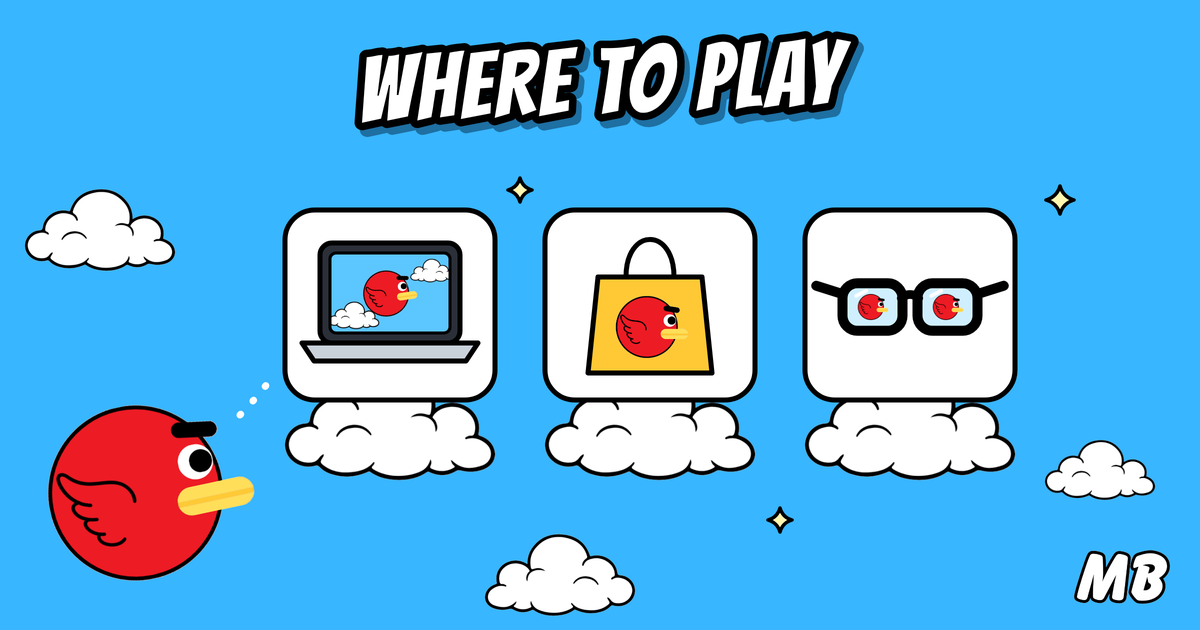
Where to play Meta Birds: browser, itch.io, or glasses
Try Meta Birds in a desktop browser, on itch.io if you are on a phone, or as a web app on Meta Ray-Ban Display glasses.
Nov 9, 2026
Is Meta Birds made by Meta? No — here is how the names relate
Meta Birds is a playable prototype from ATech Software. It is not made, endorsed, sponsored, or developed by Meta, Ray-Ban, or EssilorLuxottica.