Meta Birds Game Guide
Meta Birds is a playable prototype: a 2D tap-to-fly arcade game from Ace Jones, ATech Software, made for desktop browsers and Meta Ray-Ban Display glasses. This guide walks through every screen you'll see, how scoring works, and how to get longer runs. For controls and setup, see How to Play. The version you play on this site (hosted on itch.io) is the same game as the Meta Ray-Ban Display glasses build, version 1.1.
The screens, in order

Loading. A loading bar appears first, then the ATech Software logo. The first load downloads the whole game, so it can take a little while. Later loads are usually faster.
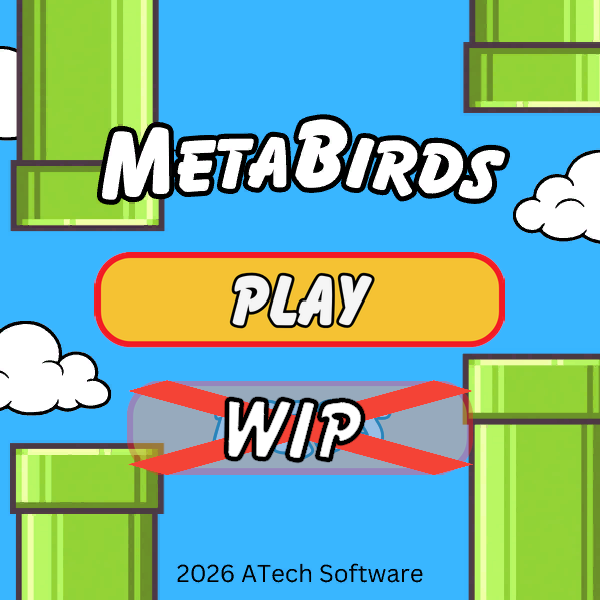
Title screen. You'll see the MetaBirds logo, a PLAY button and a greyed-out WIP button. Press PLAY, or press Space on a computer, to start.
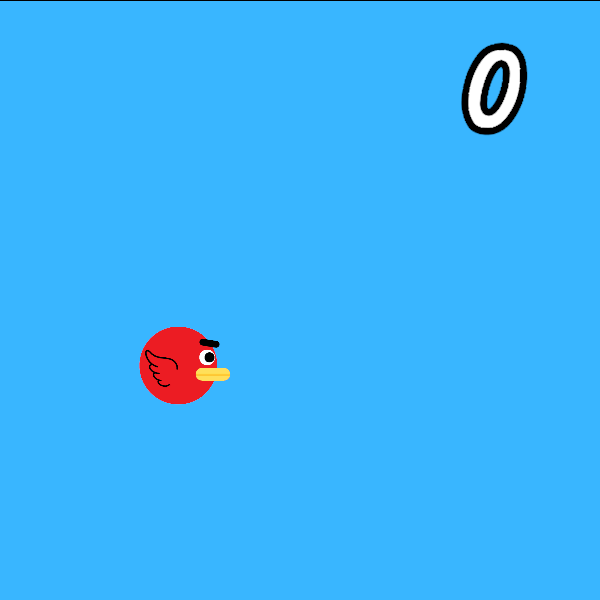
The run. You control one red bird. Green pipes come in pairs with a gap between them, and your score sits at the top of the screen.
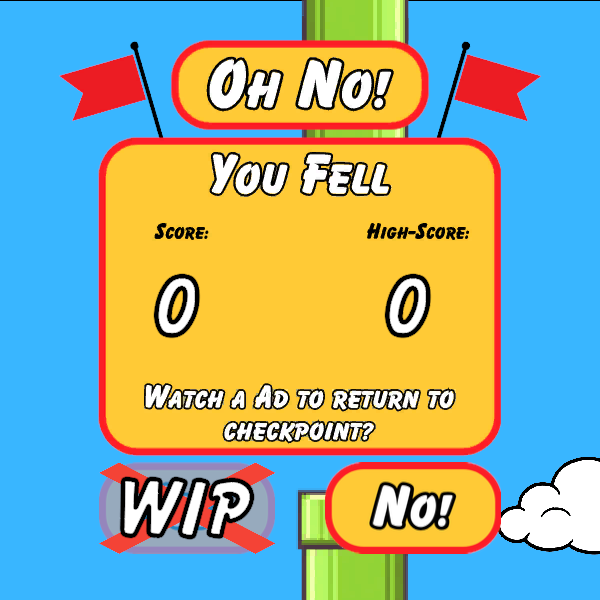
Game over. When the bird hits a pipe or falls, the "Oh No! You Fell" panel shows your Score and your High-Score. Press "No!" to start a new run right away.
The bird and the pipes
There is one bird and one endless course. The only thing you control is the flap: each press gives the bird a short upward boost, and it drops between presses. The gap in each pair of pipes sits at a different height from the last, so you're always adjusting. Hitting a pipe or falling ends the run.
Scoring and your High-Score
Every pair of pipes you clear adds one point. Your High-Score is shown next to your score on the game-over panel. There are no accounts, so your High-Score lives in the browser you play in. It may reset if you clear your browser data or switch devices.
What isn't in the game yet
Tips for longer runs
- Let it load. Wait for the title screen before pressing anything, especially on glasses, where the first load takes the longest.
- Be ready when you press PLAY. On a computer, Space starts the run and is also your flap key, so keep your finger where it is.
- Tap, don't mash. One press is one flap, and several quick presses in a row can carry the bird up into a pipe.
- Watch the next gap, not the bird. The gaps change height, so look ahead and start drifting toward the next opening early.
- Small corrections. If you're a little low, one press is usually enough. Answering a small error with three flaps is an easy way to overshoot.
- Reset calmly. After "You Fell", take a breath before pressing "No!". A rushed restart tends to give you a two-second run.
- On glasses, sit down. Meta's safety guidance says not to use the display when you need your full attention on your surroundings.
For more on timing and rhythm in this kind of game, read How to last longer in tap-to-fly games.
More guides
Meta Birds is independently developed by Ace Jones, ATech Software, and is not endorsed, sponsored, or developed by Meta Platforms, Inc., Ray-Ban, or EssilorLuxottica.